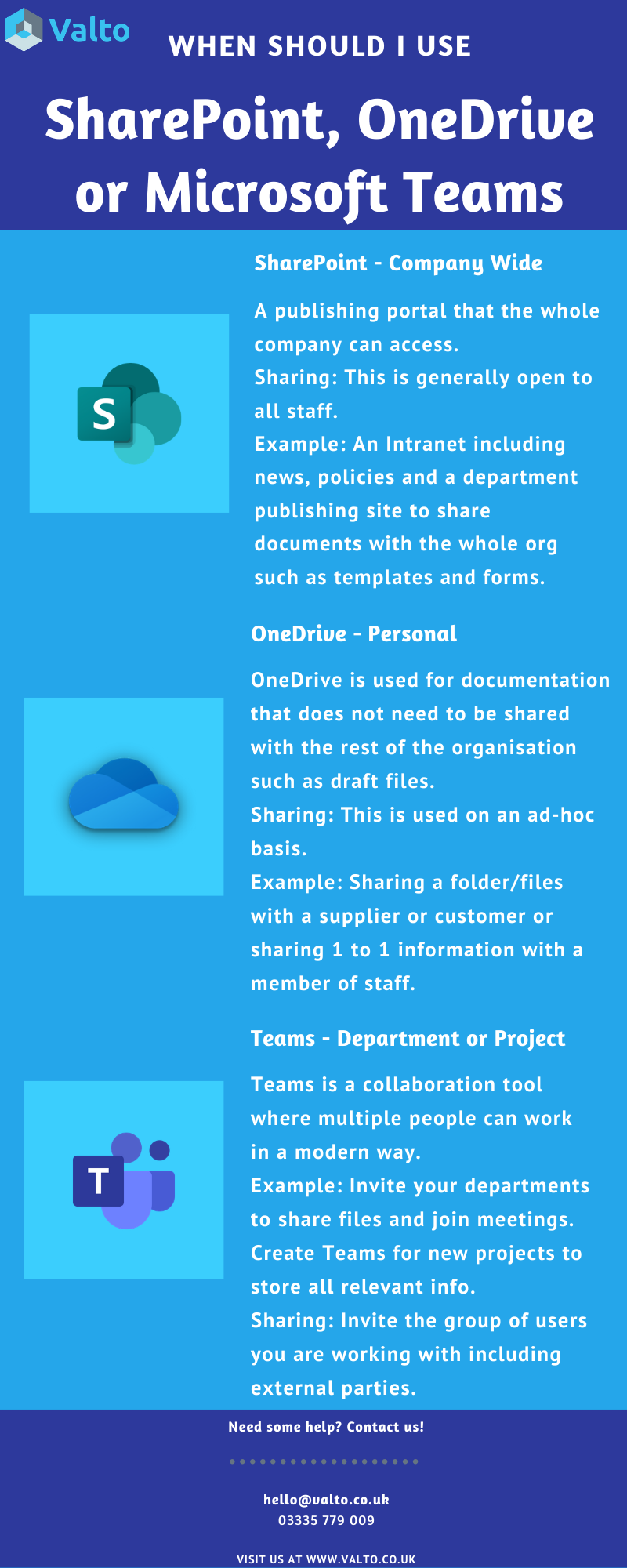
Microsoft 365 has a number of tools available that can be used for storing information, files and collaborating on. A common decision for organisations when building their Microsoft 365 strategy is identifying the best use case for each of the products. Our blog article covers off the key products and use cases for each one.
SharePoint, OneDrive & Microsoft Teams are key components of Microsoft 365 and are included in your Microsoft 365 Business Premium licenses.
Which tool should I be using?
Microsoft 365Services
Valto provide a range of SharePoint, OneDrive & Microsoft Teams services including:
- Migration
- Governance Planning
- Managed Support
- SharePoint Intranet Development
- Adoption
Blog Series
This blog post is part of a series of blog posts outlining Microsoft Teams best practices including:
Get in Touch
Valto are here to help with your Microsoft Teams platform. Get in touch via 03335 779 009, [email protected] or Contact Us.
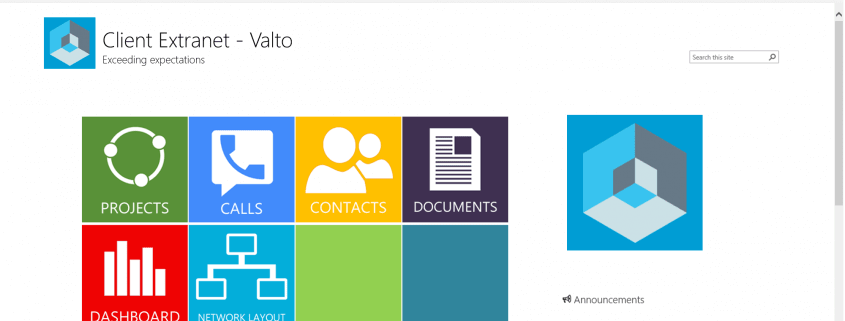
In the past, SharePoint was primarily seen just as a platform for collaboration – largely because of its integration into the rest of the Microsoft Office Productivity Suite, however with the addition of custom development and the flexibility that it offered, it also became a popular choice for a company’s intranet solution.
With SharePoint Online, there is even more integration with both Azure as a platform and Office365. This coupled with the collaboration tools offered in the latest Office Applications makes SharePoint an even more powerful tool for making a workforce more productive. A further benefit of the architecture of SharePoint online is the adoption of an App based model for extending functionality.
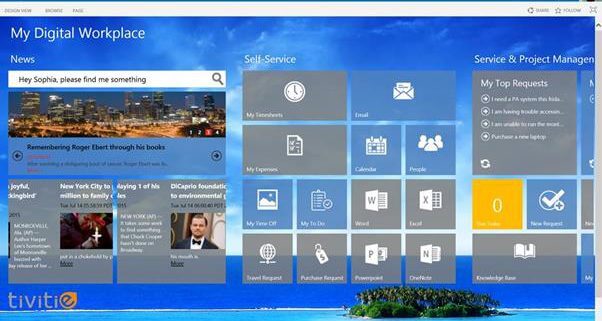
While previous versions of SharePoint could be extended with added functions to support services such as Holiday Bookings or Expense Management, these needed to be developed and integrated into SharePoint. It was possible for SharePoint development companies to deploy a preconfigured intranet type solution “out of the box”, however this was usually a one size fits all solution that required substantial additional work to configure the intranet to work as required.
With the newer App based model, the extra services are de-coupled from SharePoint, which means that they are easier to install and maintenance becomes more straightforward – a patch for SharePoint will not break connections or end functionality with an app as they sit separately.
The availability of SharePoint apps to handle much of the extra functionality that businesses require makes the management of an Intranet more straightforward and allows companies to get what they want more easily.
Adding Social features to a SharePoint Intranet
One of the biggest challenges for an organisation adopting a SharePoint Intranet is to encourage staff to use it. There are some core functions that all staff will need to use – booking holidays or working together – but for the intranet to fulfil its potential, it’s essential that staff use it as a means of sharing information with their colleagues.
Integrating Yammer and Skype within SharePoint can be done using the app model – this encourages staff to communicate via the intranet. As more content is shared and organised through the Intranet, it becomes a more important part of workflow within the business, and this – coupled with the ability to manage a user’s profile as part of an internal social network makes it a more user-friendly environment that provides real value for all staff.
Single Sign On
Perhaps the biggest advantage of choosing SharePoint online as an intranet platform alongside Office 365 is the integration of a single user identity across the different applications. A user no longer needs to sign in to multiple applications to do different things – they can access their stored documents, manage their HR and training, and communicate with colleagues. With SharePoint Online and Office 365, this is functionality that requires little custom development, whereas a third-party platform would require substantial development time to integrate.
Find out More
If your organisation is planning to update your intranet, need reliable SharePoint Support or you’re considering an Office 365 Migration and want to find out more about the benefits of integration that SharePoint brings, please contact a member of our team on 03335 779 009 and we’ll be happy to help you.
 UK Offices
Chester:
8 Hunters Walk, Canal Street
Chester, CH1 4EB
Southampton:
Royal Mail House, Terminus Terrace
Southampton, SO14 3FD
London:
Kemp House, 152 – 160 City Road
London, EC1V 2NX
 US Office
North Carolina:
5540 Centerview Dr Ste 204 PMB 38792 Raleigh, 27606-8012



Company no: 10625574. VAT no: 264817775. All Rights Reserved. Services Sitemap | XML Sitemap